Fixbell / Vendor dispatch
Automatic vendor dispatch: the right vendor, confirmed.
Stop chasing technicians by phone. Fixbell picks the right vendor for the location and the problem, then calls and emails their contacts in order until one confirms they're on the way.
From ticket to "I'm on it", while you get on with your day.
Your vendor list lives in one place, with the rules for who handles what. Fixbell does the calling.
Ticket is cleared
Either the vendor can be dispatched directly, or an approver has signed off with a not-to-exceed amount.
Right vendor picked
Fixbell matches the trade and the location against your vendor directory.
Calls and emails in order
It works through the vendor's contacts until one confirms, after-hours contacts first at night.
Confirmation recorded
The vendor confirms on the call or taps “I'm on it” in the email. Everyone sees it on the ticket.
Everything the technician needs, up front, with nothing to install.
A call and an email
Vendors are reached the way they already work. No app, no login, no portal to learn.
The full job in one message
The problem, the location, who to ask for on site and the not-to-exceed amount.
One-tap confirmation
They confirm on the call or with the “I'm on it” button, and you see it right away.
Contacts in your order
List a vendor's dispatcher, owner and on-call tech in the order you want them tried.
Per-location coverage
Each vendor covers all your locations or only some, so every site gets its own local vendor.
Hours and approval rules
Business hours and whether a vendor needs sign-off are set once, per vendor.
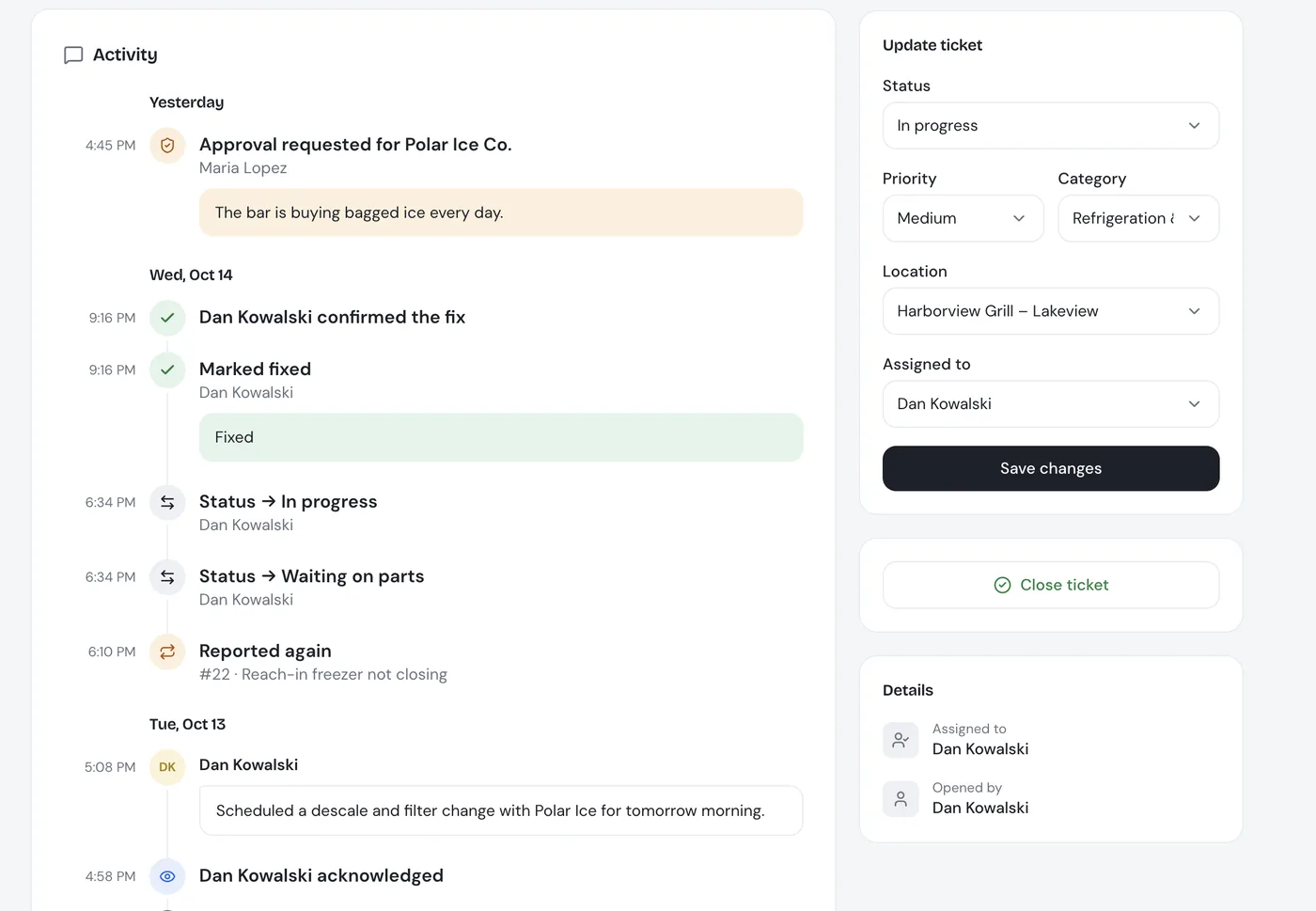
See who was called, who confirmed, and when.
Every vendor call and email is logged on the ticket timeline, next to approvals and notes.
- One timeline: vendor calls, confirmations, status changes and notes, newest first
- Repeat problems linked: a unit that keeps failing is easy to spot before you call the same vendor again
- Response times measured: reports show how fast each vendor picks up and fixes
Vendor dispatch: common questions
What is automatic vendor dispatch?
Once a repair ticket is cleared, Fixbell contacts the right vendor for you. It calls and emails the vendor's contacts in the order you set until one confirms, then records who confirmed and when.
Do vendors need to install an app or create an account?
No. Vendors get an AI phone call and an email with the problem, the location, a contact and the not-to-exceed amount. They confirm on the call or with the “I'm on it” button in the email.
Can we use our own vendors?
Yes. Fixbell calls the vendors you already work with. You add each one with its trades, the locations it covers, its contacts, business hours and whether it needs approval.
What happens if the first contact doesn't answer?
Fixbell moves to the vendor's next contact in order until someone confirms. At night it starts with the after-hours contacts.
Can some vendors require approval before they are called?
Yes. You decide per vendor. Some can be dispatched directly, others wait for an approver to sign off with a not-to-exceed amount.
The rest of the repair, handled too.
Never chase a vendor again.
See Fixbell call a vendor for one of your locations in a 30-minute live demo.