Fixbell / Repair approvals
Repair approvals with not-to-exceed limits.
Control repair spend across every location without becoming the bottleneck. Choose which vendors need sign-off, approve with a not-to-exceed amount in one tap, and let urgent requests escalate if you're busy.
- Escalated · no decision in 15 minApprovers and admins alerted.
- Approval requested · Luca Bianchi (Manager)
A repair approval workflow that takes seconds, not phone calls.
Approvals happen where approvers already are: a push alert on their phone or a link in their email.
Rule decides
Each vendor is set to dispatch directly or to need approval, and you choose who approves.
Approver is alerted
A push alert and a one-tap email link go out the moment a ticket needs sign-off.
Approve with a limit
The approver sets a not-to-exceed amount, or declines with a note.
Escalate if stuck
No decision on an urgent request in 15 minutes? Backup approvers and admins are alerted.
Know what every repair was approved for, and by whom.
Per-vendor rules
Trusted vendors go straight out; others wait for sign-off. Change it any time.
Not-to-exceed amounts
Every approval carries a spending cap, and the vendor sees it with the job.
Decide from anywhere
Push alerts, a one-tap email link, the phone app or the web portal.
Escalation after 15 minutes
Urgent requests never sit waiting on one busy person.
A full approval log
Who approved what, when, how and for how much, exportable to CSV.
Approval stats
See requests, decisions and response times for the last 30 days.
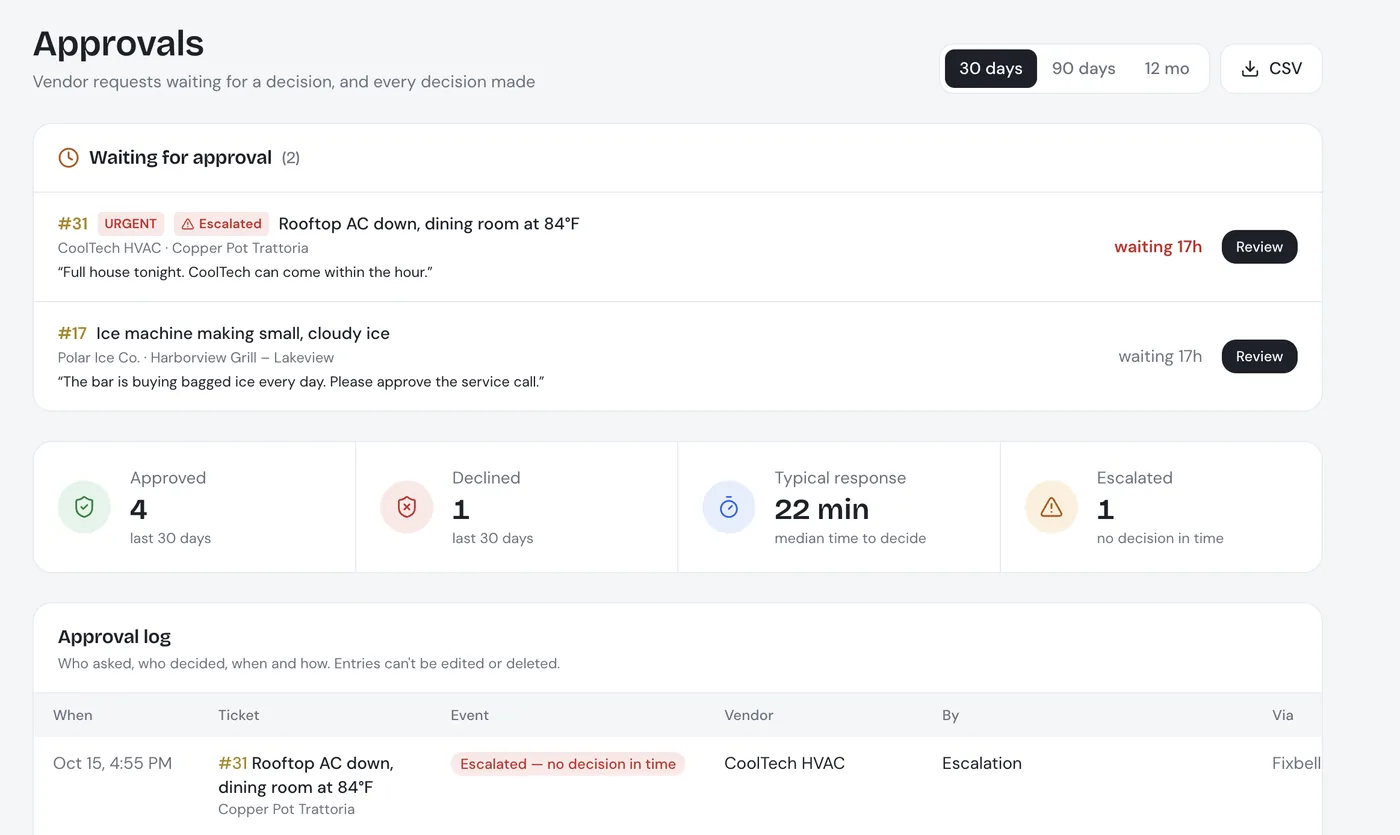
Every pending request, in one place.
Approvers see what is waiting, why, and for how long, with the history below.
- Waiting requests first: each with the vendor, the location and the reason
- Last 30 days at a glance: how many requests came in and how fast they were decided
- Audit-ready log: every decision with who, when and how much
Repair approvals: common questions
What is a not-to-exceed (NTE) amount?
It's the most a vendor may spend on a repair without coming back to you. In Fixbell, the approver sets it when approving, and the vendor sees it with the job details.
Who approves repairs in Fixbell?
You decide per vendor whether approval is needed and who approves. Approvers can decide from a push alert, a one-tap email link, the app or the web portal.
What happens if nobody approves an urgent repair?
If an urgent request has no decision within 15 minutes, it escalates: backup approvers and admins are alerted, so a repair doesn't stall because someone is busy.
Can we see who approved what?
Yes. Every request and decision is logged with who decided, when, how and for how much. The approval log exports to CSV.
Do all repairs need approval?
No. You choose per vendor. Trusted vendors can be dispatched directly, while others wait for sign-off.
The rest of the repair, handled too.
Approve repairs in one tap.
See approvals, escalation and the approval log working in a 30-minute live demo.