Fixbell / AI repair line
The AI repair line: one number for every repair, 24/7.
Your managers call one number and describe the problem in plain words. Fixbell knows who is calling and where, asks the right follow-up questions, and opens a complete ticket before they hang up. Then it gets approval if needed and calls the vendor.
From a phone call to a confirmed vendor, without a single follow-up text.
Nobody has to remember a vendor's number or the process. The repair line does the intake a facilities manager would do.
Manager calls
One number for every location. The AI recognizes your staff and knows which location they are at.
AI asks the right questions
What broke, how bad it is, whether customers or product are affected, so the urgency is set correctly.
Ticket opens during the call
A complete ticket with the call transcript is created while the manager is still on the phone.
Approval and vendor call
If your rules need sign-off, the approver gets a one-tap link. Then Fixbell calls the vendor until one confirms.
A maintenance request hotline that knows your locations.
Answers 24/7
Nights, weekends and holidays. At night, Fixbell calls each vendor's after-hours contacts first.
Knows who is calling
Your staff and their locations are set up once, so the AI greets them by name and files the ticket to the right site.
Full transcript on every ticket
The office sees exactly what was said, without calling the location back to ask.
Transfer when you want a person
Send urgent calls straight to your facilities lead or general contractor, and still get the ticket.
Urgent tickets can't sit
If nobody acknowledges an urgent ticket within 15 minutes, your admins are alerted.
Other ways to report
The same ticket can come from the iPhone and Android app, the web portal or a sticker on the equipment.
Every call becomes a ticket you can act on.
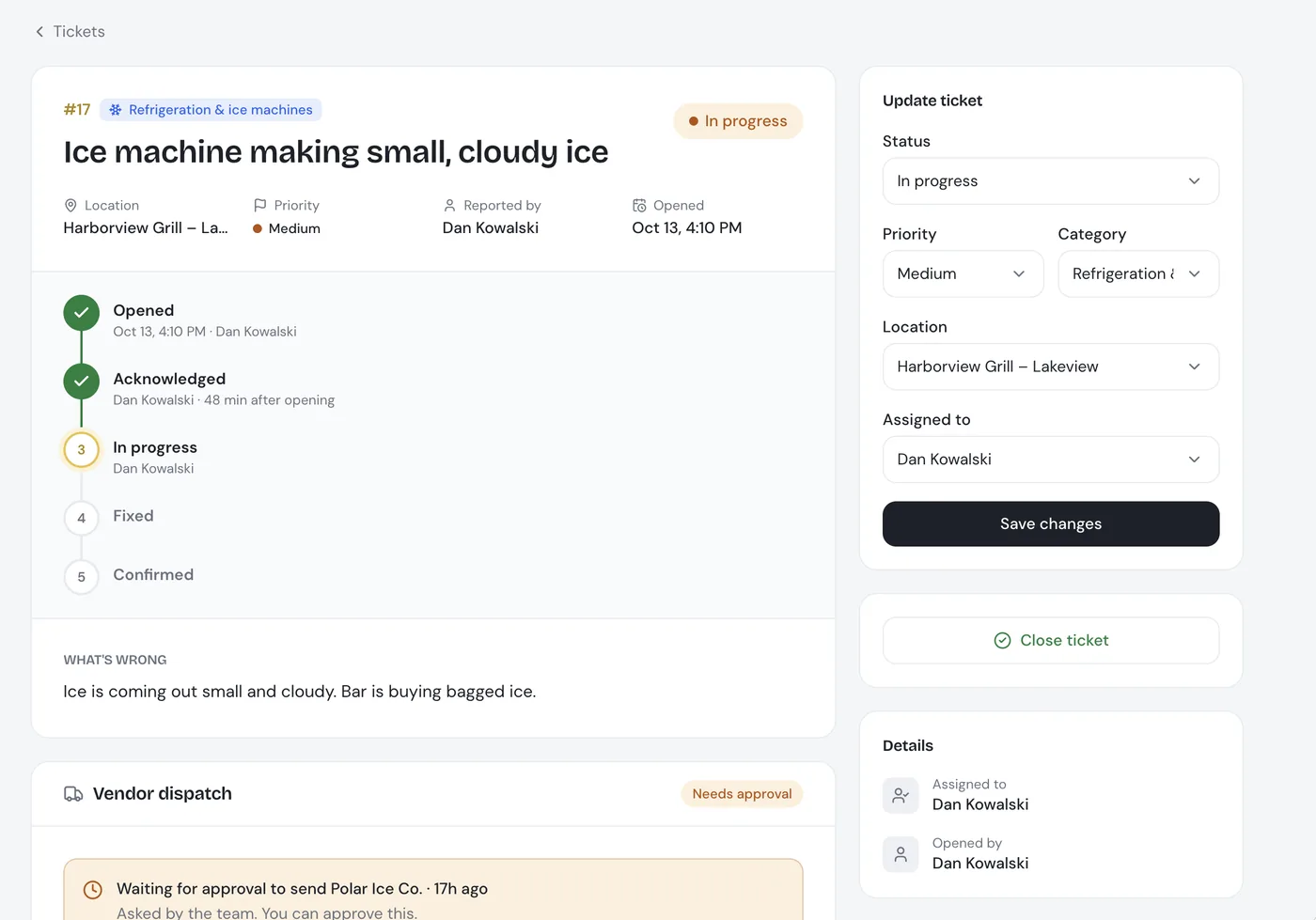
Each call shows up as a ticket with its status, priority, location and the vendor Fixbell is calling.
- Status at a glance: opened, acknowledged, in progress, fixed and confirmed by the location
- The call stays attached: the transcript sits on the ticket, next to every approval and vendor update
- See the busy hours: reports show how many repairs come in by phone and on which days
AI repair line: common questions
What is an AI repair line?
It's one phone number your managers call for any repair. An AI answers, works out who is calling and from which location, asks the follow-up questions a facilities manager would ask, and opens a complete repair ticket with the call transcript.
Does the repair line answer after hours and on weekends?
Yes. It answers 24/7. At night Fixbell calls each vendor's after-hours contacts first, and if an urgent ticket isn't acknowledged within 15 minutes, your admins are alerted.
Can urgent calls go to a person instead?
Yes. You can have the line transfer urgent calls to your facilities lead or general contractor, while the ticket is still opened and logged.
Does the caller need to know which vendor to call?
No. The caller only describes the problem. Fixbell matches it to the right vendor for that location and type of repair from your vendor directory.
Can managers report repairs without calling?
Yes. The same ticket can be opened from the iPhone or Android app, the web portal, or by scanning a sticker on the equipment.
The rest of the repair, handled too.
Call the repair line yourself.
In a 30-minute demo, you call the AI line as one of your managers and watch the ticket, approval and vendor call happen.